
This is how you approve in bulk using Scoutbook on the computer.
https://scoutbook.scouting.org/mobile/dashboard/
Dashboard
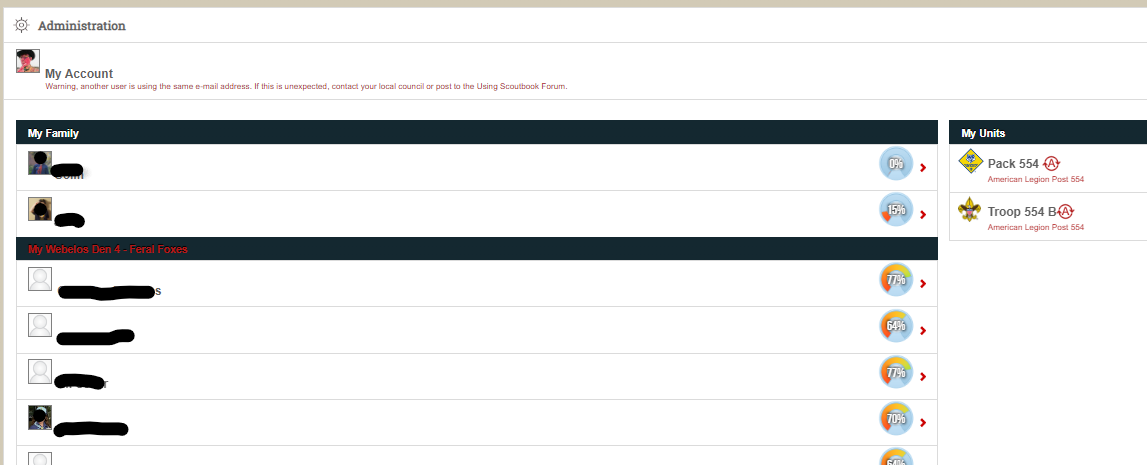
Click on hyperlink to your den

Den Page
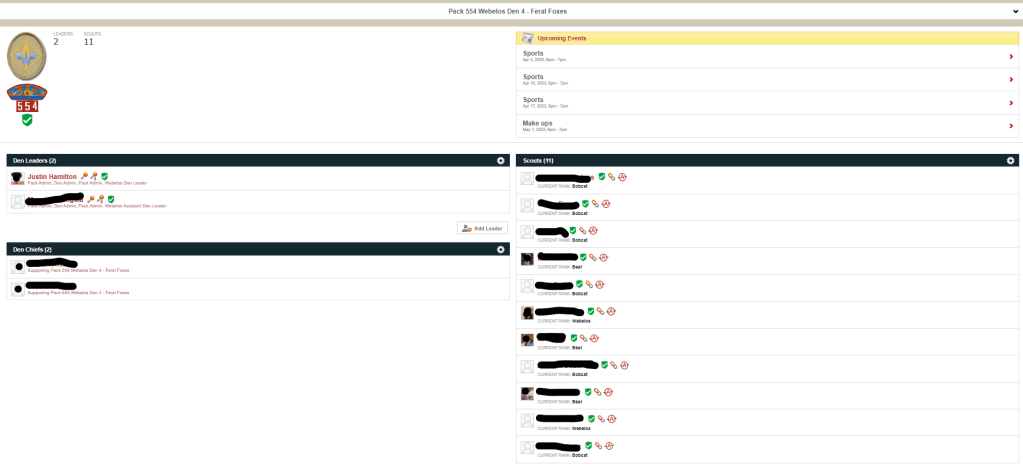
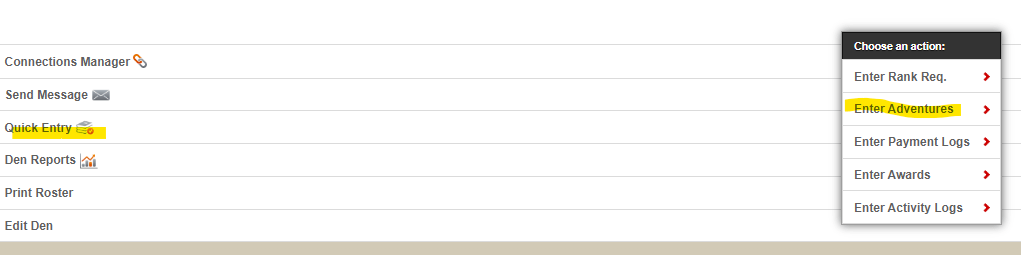
Navigate to bottom of page
Click Quick Entry
Click Enter Adventures
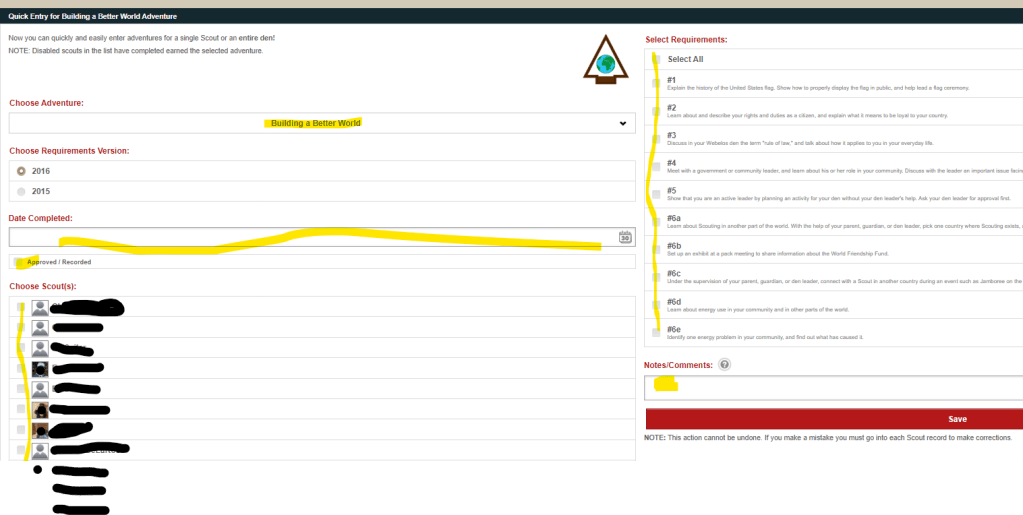
Quick Entry Page
Select Choose Adventure from the dropdown
Enter Date of activity
If you’re the den leader, click on Approved/Recorded
Select Cubs who attended
Select Requirements completed
Add a note if applicable
Click Save
 Cub Scout Pack 554 League City TX
Leave a comment